Make AI video on your Mac.
Type what you want, or start from a picture. Open models like Wan 2.2 make the video on your Mac, for free.
Free beta. macOS 26 or later, Apple silicon (M1 or later).
Every clip on this page was made in Outmake on a 2021 MacBook Pro with an M1 Pro and 16 GB of memory. Each label gives the model, the clip’s length and the minutes the app recorded for it, start to finish.
Start from words or a picture.
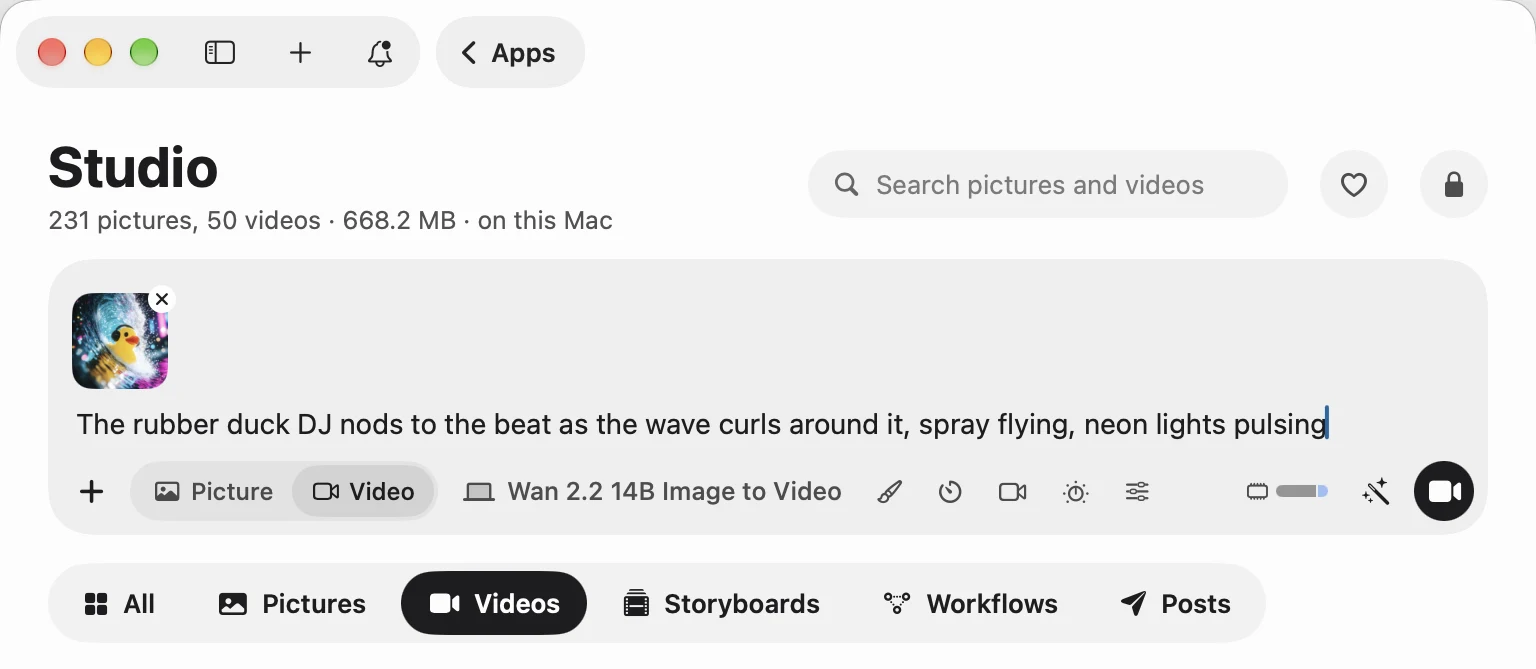
Choose Video in Studio and type a prompt. Add a picture and the model sets it in motion. Length, shape, quality and camera move are yours to set.

It checks your Mac before it starts.
A video model can need more memory than your Mac has free. Outmake shows how much the model will hold and how much is free, and lists the apps using the most so you can quit one.
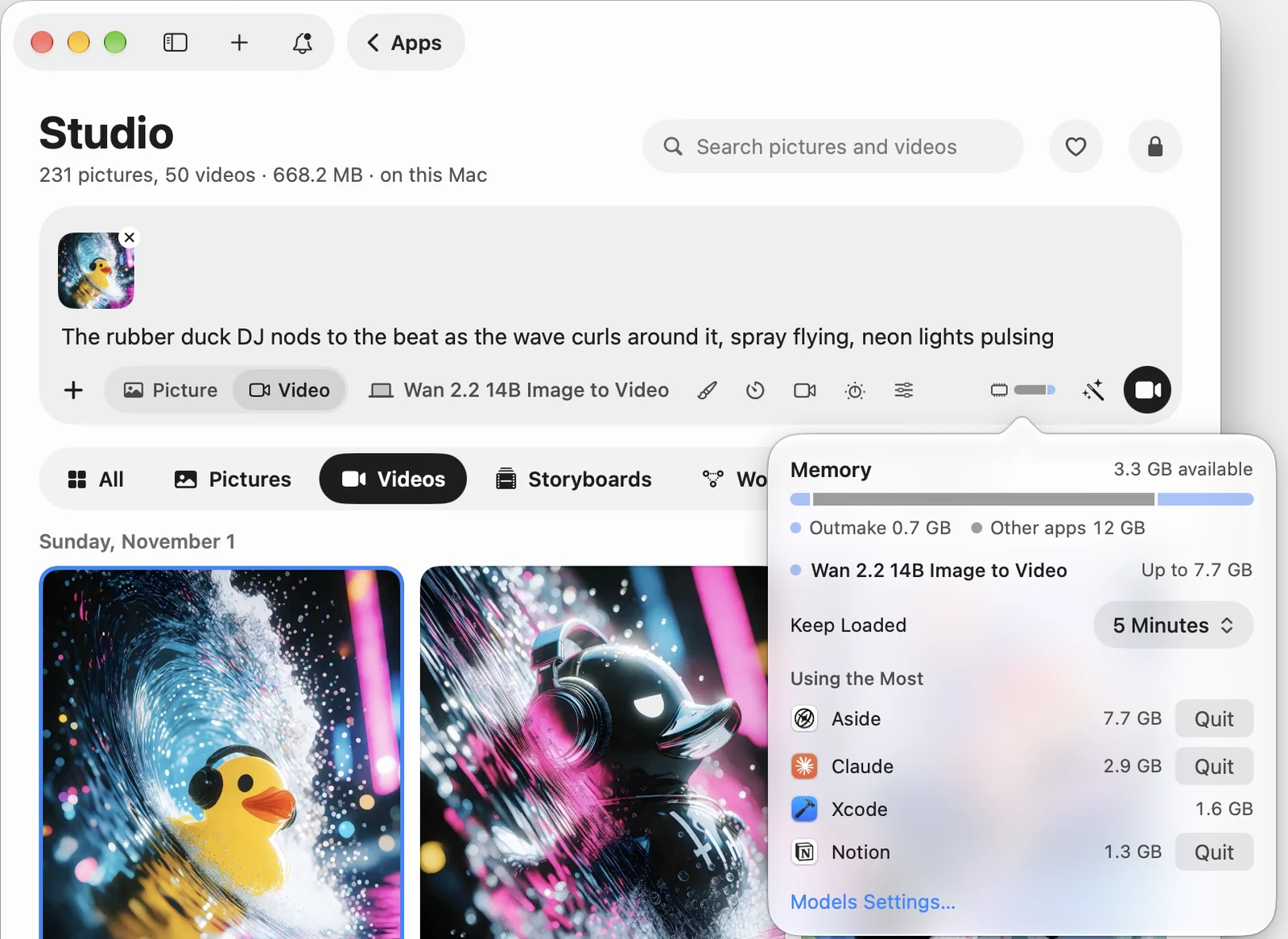
- Read from disk in partsWan 2.2 14B Image to Video is a 21 GB download at its smallest size. On a 16 GB Mac, Outmake holds no more than 6.5 GB of it at once. With the video itself, the job holds up to 7.7 GB. The measurements
- Shorter before smallerWhen a video won’t fit in memory at the length you asked for, it gets shorter before it gets smaller.
- It says so firstRun tells you before it starts when your Mac is short of memory or disk space, and a job stops before memory runs out.
Find the video model for your Mac.
Each model is judged against a Mac’s memory with the same rule the app uses. On 16 GB, 4 of 9 run well.
| Model | 8 GB | 16 GB | 24 GB | 32 GB | 48 GB | 64 GB |
|---|---|---|---|---|---|---|
| Wan 2.1 14B Text to VideoVideo from a written prompt | Tight fit | Runs well | Runs great | Runs great | Runs great | Runs great |
| Wan 2.2 14B Image to VideoTurns a picture into video | Tight fit | Runs well | Runs great | Runs great | Runs great | Runs great |
| Wan 2.2 14B Text to VideoFive-second text-to-video | Tight fit | Runs well | Runs great | Runs great | Runs great | Runs great |
| Wan 2.1 1.3BVideos from a text prompt | Too big | Runs well | Runs great | Runs great | Runs great | Runs great |
| LTX-2.3Video with matching sound | Tight fit | Tight fit | Runs well | Runs great | Runs great | Runs great |
| Wan 2.2 5BVideo from text or an image | Too big | Tight fit | Runs great | Runs great | Runs great | Runs great |
| SkyReels V2 1.3B Image to VideoThe smallest model here that brings a picture to life | Too big | Too big | Too big | Runs great | Runs great | Runs great |
| Wan 2.1 14B First and Last FrameMakes the video between two pictures you give it | Too big | Too big | Too big | Runs well | Runs great | Runs great |
| Wan 2.1 14B Image to VideoBrings a picture to life with one 14B model, read from disk on smaller Macs | Too big | Too big | Too big | Runs well | Runs great | Runs great |
Worked out for M3 8 GB, M4 16 GB, M4 24 GB, M4 32 GB, M4 Pro 48 GB, M4 Max 64 GB. Runs great and Runs well leave room for your other apps. Tight fit means quitting them first. A fit label is about memory, and says nothing of speed. Find your own Mac
How long a video takes.
From the app’s own records on a 2021 MacBook Pro with an M1 Pro and 16 GB of memory.
Wan 2.2 5B · 2 to 3 seconds of video2.6 minutesthe middle of 14 clips
Wan 2.2 14B · 2 to 5 seconds of video13.8 minutesthe middle of 21 clips
October and November 2026, each timed from the job’s start to its finished file. The 14 Wan 2.2 5B clips ran from 1.4 to 13.4 minutes, at up to 864 by 480. Of the 21 Wan 2.2 14B clips, one in October took 6 minutes and twelve took 11 to 14. Eight in November, all at Best quality, took 19 to 21. Not counted: seven records that finished in under a minute, and two copies of earlier clips at four times the size. These are from one Mac, and yours will differ.
Go past a single clip.
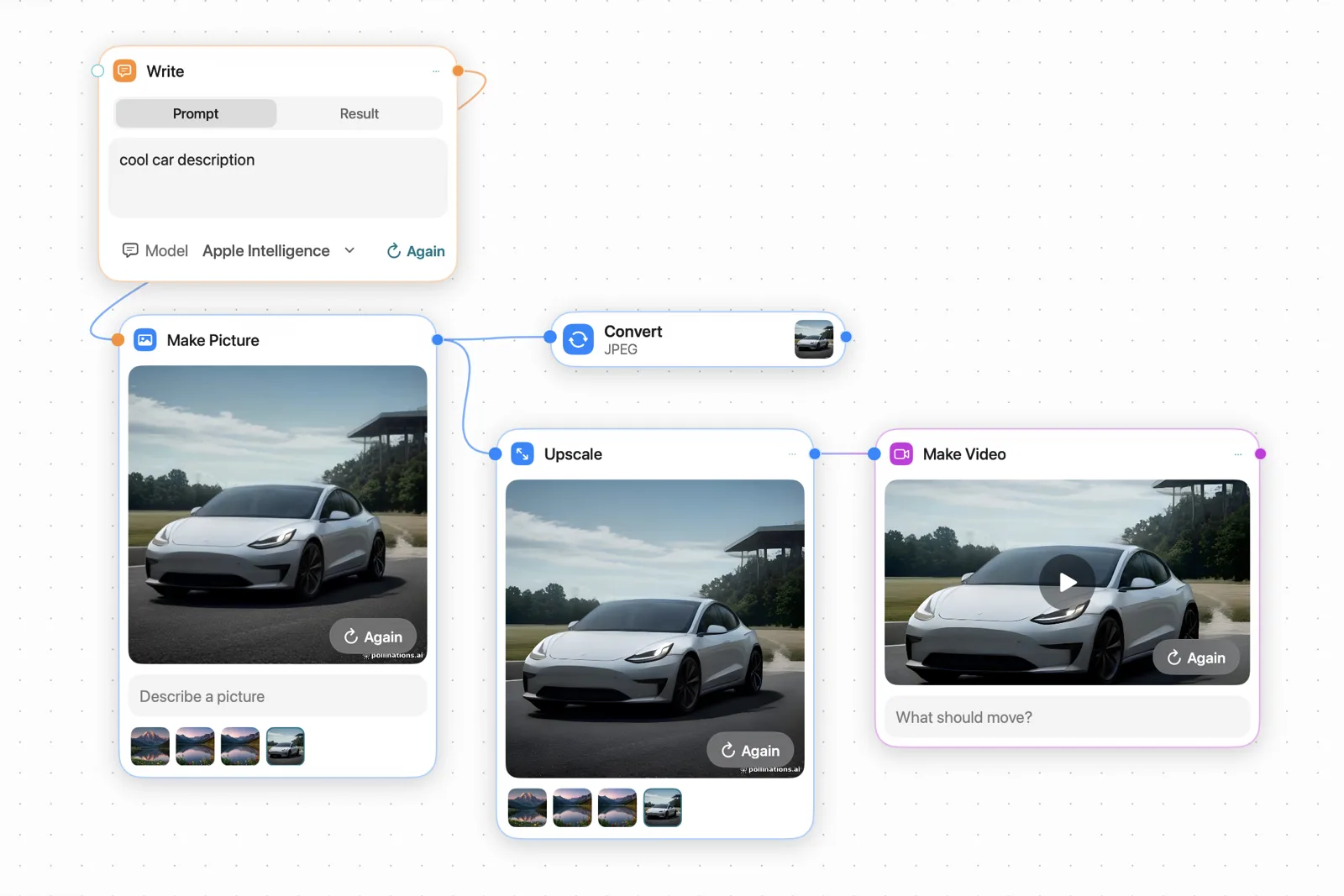
Storyboards plan a film in scenes. Workflows chain the steps and run them again.
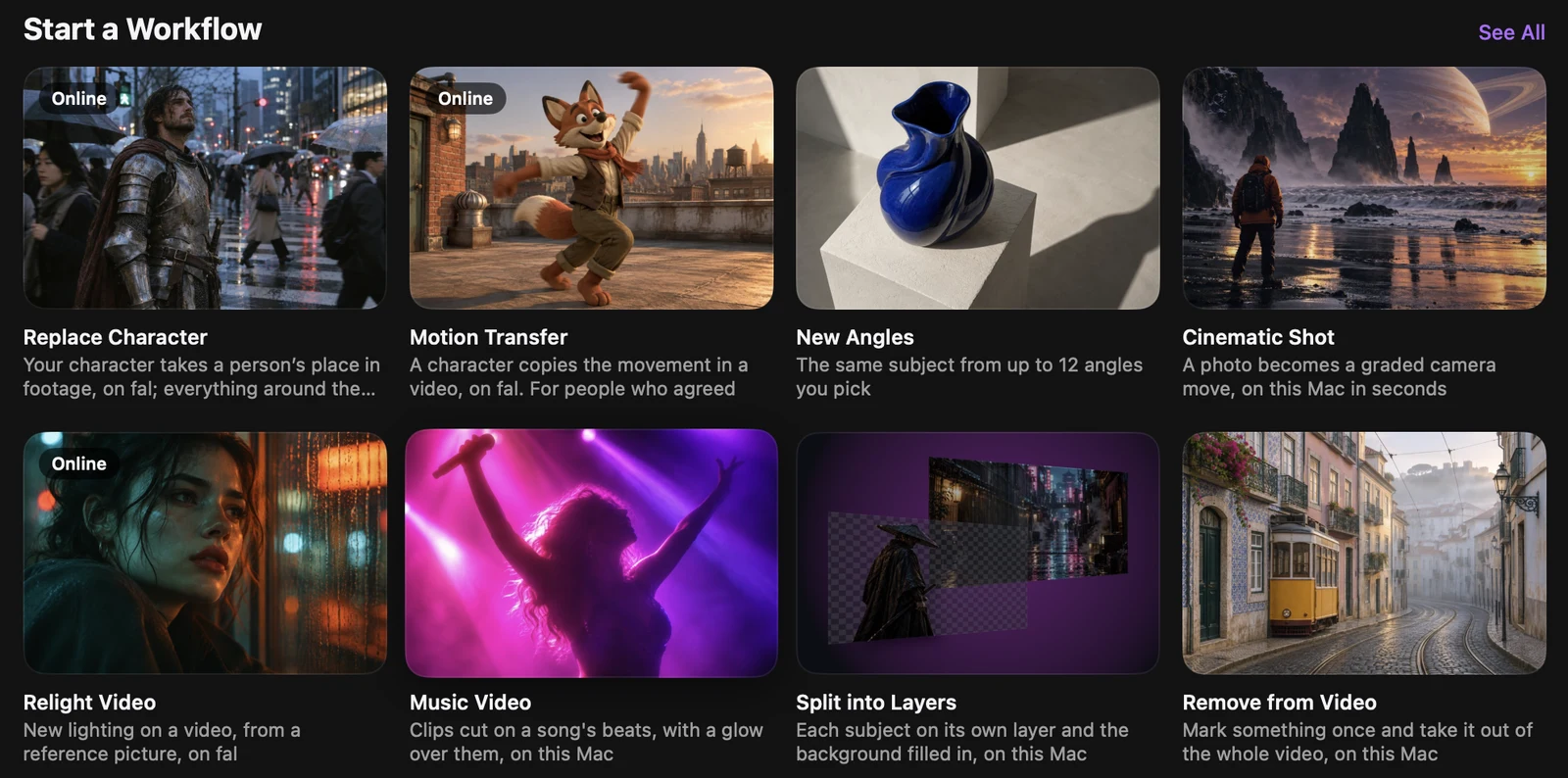
Online models, on your own account.
Studio can also edit, extend or upscale a video with models from xAI, Google and OpenRouter, and a workflow can run a fal model with your own key. Those run on that company’s computers and are billed to your account.
- It asks firstBefore a video or its prompt goes to a company, Outmake asks, once for each company.
- The price comes firstVideo tools say what they will cost before you pay, and Trim shows the seconds and the price as you drag.
What to expect.
Video on a laptop is slow and small next to a data center. Here is where it stands.
- Clips are short. The ones on this page are 2 to 4 seconds long.
- Frames are small on 16 GB. The largest here is 864 by 480, and a long video comes out smaller than the size you set.
- A clip takes minutes. Wan 2.2 14B took 12 to 21 minutes for each of its clips at the top of this page.
- 8 GB is not enough for most. On 8 GB, Wan 2.1 14B Text to Video, Wan 2.2 14B Image to Video, Wan 2.2 14B Text to Video and LTX-2.3 are a tight fit and the other video models are too big.
- Some videos come out broken. A video made from a picture can come out streaked on some Macs. Outmake notices many damaged videos and makes them again. Some still get through. Known issues
- Outmake is a beta. It needs macOS 26 or later and a Mac with Apple silicon.
Questions
- Is it free?
- Yes. Outmake is free, with no account, and the open video models are free to download. Online models are optional and are billed by their companies on your own account.
- Does my video leave my Mac?
- No, when you use a model on your Mac. The model runs on your Mac with no network access. An online model sends the video or prompt to that company, and Outmake asks before it does. A video for an OpenRouter model passes through Outmake’s server on the way and is deleted when the job ends. Privacy Policy
- Which Macs can make video?
- Macs with Apple silicon and macOS 26 or later. On 16 GB, 4 of the 9 video models run well: Wan 2.1 14B Text to Video, Wan 2.2 14B Image to Video, Wan 2.2 14B Text to Video and Wan 2.1 1.3B. The table above has every size.
- Do I need ComfyUI?
- No. Outmake makes video with stable-diffusion.cpp inside the app, and there is nothing to set up. If you have ComfyUI workflow files, Outmake can open them and run them on your ComfyUI.
- Can I use the videos commercially?
- That depends on the model’s licence. Wan 2.2 14B Image to Video is under Apache 2.0, and each model’s page states its licence and whether commercial use is allowed.
- How does it compare with Draw Things?
- Draw Things offers more video models and deeper picture controls, and runs on iPhone and iPad. Outmake vs Draw Things has the details.
Outmake Beta
Make your first video tonight.
Download for MacFree beta. macOS 26 or later, Apple silicon (M1 or later). By downloading, you agree to the Terms of Use.